
Download Xilisoft DVD Creator – Free, Secure DVD Authoring Tool for Windows
Overview
Xilisoft DVD Creator is a long‑standing Windows‑based video software that lets you transform home movies, music videos, and photo slideshows into professional‑looking DVDs. First introduced in the early 2000s, the program has been refined through several updates, the latest being version 6.0.3.1211 released on April 1 2010. Although the software is now considered legacy, it still enjoys a loyal user base in the United States, Indonesia, and Germany, with more than 71,000 installations recorded since its catalog entry in 2006.
The trial version provides full access to the authoring engine, allowing you to test features before committing to a purchase. Its lightweight footprint makes it suitable for older PCs running Windows 95 or earlier, and the interface is available in both English and Simplified Chinese, catering to a global audience. Whether you need to create a birthday DVD, compile a travel vlog, or distribute a corporate training video, Xilisoft DVD Creator offers a straightforward workflow that balances simplicity with enough customization to keep power users satisfied.
Key Features
- Drag‑and‑drop video, audio, and image files for instant DVD project creation.
- Built‑in video converter supporting popular formats such as AVI, MP4, WMV, and MOV.
- Customizable DVD menus with pre‑designed templates, background music, and animated buttons.
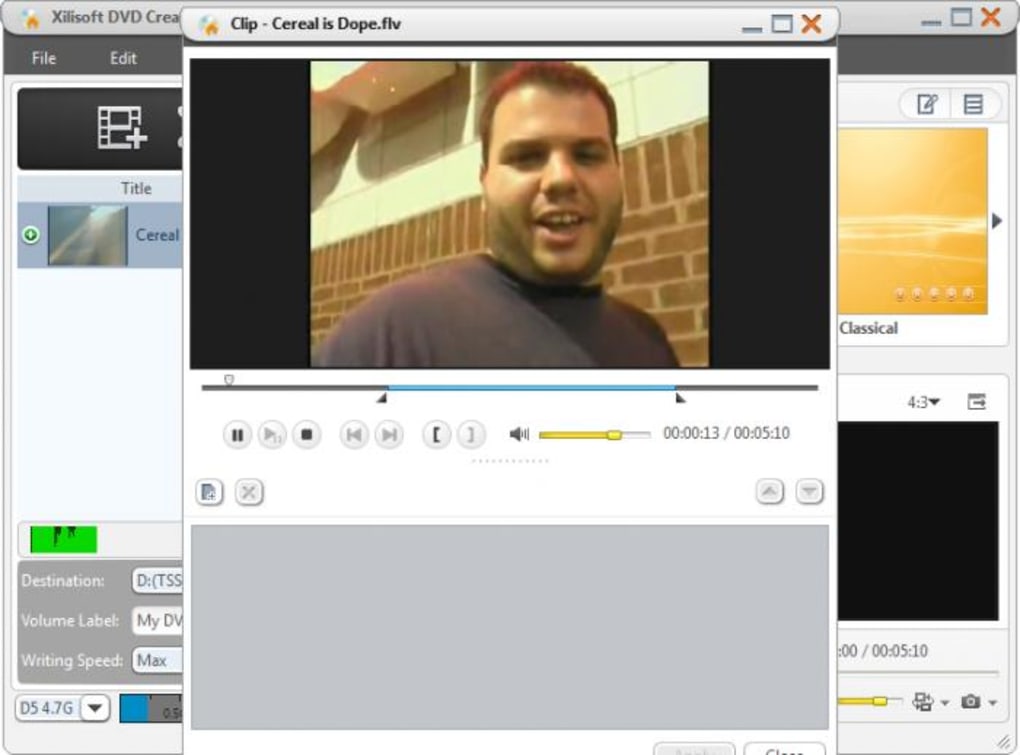
- Chapter creation tools that let you split long videos into logical segments.
- Subtitle integration with support for SRT and SUB files.
- Preview mode that simulates the final DVD playback on any PC monitor.
- Burning engine compatible with most CD/DVD writers, including support for dual‑layer DVD‑R.
- Multi‑language UI (English, Simplified Chinese) and Unicode filename handling.
- Automatic update checker to keep the software current with the latest codecs.
- Low system resource consumption, ideal for legacy hardware.
Installation & Usage Instructions
Getting started with Xilisoft DVD Creator is a breeze, even for users who are new to DVD authoring. First, download the installer from the official Xilisoft website or a reputable software portal. The file size is modest—under 20 MB—so the download completes quickly on most broadband connections. Run the setup.exe file and follow the on‑screen prompts: accept the license agreement, choose an installation folder (the default C:\Program Files\Xilisoft\DVD Creator works well), and select whether to create a desktop shortcut. The wizard finishes in a few minutes, after which you can launch the application from the Start menu.
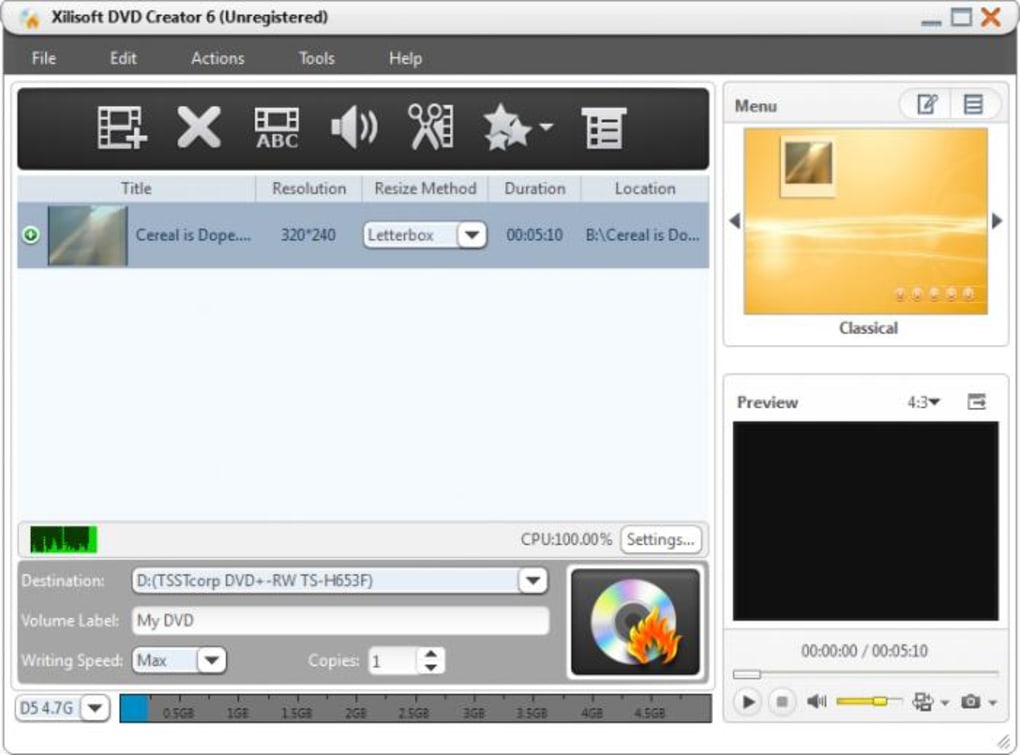
Upon opening the program, you’ll be greeted by the “New Project” wizard. Click Add Files and browse to the videos, music tracks, or photos you want to include. The software automatically detects the format and, if necessary, offers to convert the file to a DVD‑compatible codec.
After importing, you can arrange the order of clips by dragging them within the timeline. To personalize the DVD menu, navigate to the “Menu Designer” tab where you can select a template, upload a custom background image, and add text labels. The menu editor also lets you assign background music and configure navigation buttons (Play, Stop, Next, Previous).
Once your project is assembled, click the Preview button to simulate playback. This step helps you catch any timing issues or mismatched audio levels before burning. When you’re satisfied, insert a blank DVD‑R into your drive, select the appropriate burning speed (lower speeds improve compatibility on older players), and press Burn. Xilisoft DVD Creator writes the data, finalizes the disc, and notifies you when the process completes. The resulting DVD can be tested on any standard DVD player, making it ready for distribution or personal archiving.
Compatibility, Pros & Cons
Xilisoft DVD Creator was designed for legacy Windows platforms, offering native support for Windows 95, 98, ME, 2000, and XP. Although it can run on newer versions such as Windows 7 or 10 in compatibility mode, users may experience minor UI scaling issues due to the older graphics framework. The software does not have native Mac, Linux, Android, or iOS versions, so Windows remains the sole operating environment. However, its modest system requirements—typically a 600 MHz processor, 128 MB RAM, and 200 MB free disk space—make it an excellent choice for repurposing older machines that are no longer suitable for modern video editing suites.
Pros
- Lightweight and fast installation, perfect for low‑end PCs.
- Intuitive drag‑and‑drop workflow reduces the learning curve.
- Comprehensive set of DVD menu templates without needing additional plugins.
- Supports a wide range of video and audio formats out of the box.
- Free trial provides full functionality, allowing thorough evaluation.
Cons
- Interface looks dated compared to modern video authoring tools.
- No native support for Windows 10/11 without compatibility tweaks.
- Lacks advanced features such as Blu‑ray authoring or 4K video handling.
- Limited language options beyond English and Simplified Chinese.
- Updates stopped in 2010, so codec support may be outdated for newer formats.
FAQ
Can I burn DVDs on a Mac using Xilisoft DVD Creator?
No. Xilisoft DVD Creator is a Windows‑only application. Mac users would need to run it through a Windows virtual machine or use alternative macOS DVD authoring software.
Is the trial version limited by a watermark or time restriction?
The trial version is fully functional and does not add watermarks. It is time‑limited to 30 days, after which you must purchase a license to continue using the software.
What DVD formats can Xilisoft DVD Creator produce?
It creates standard DVD‑Video discs compatible with most DVD‑R and DVD‑RW media, following the MPEG‑2 video and AC‑3 audio specifications.
Can I add subtitles to my DVD?
Yes. The software supports SRT and SUB subtitle files, which can be embedded during the authoring process.
Does Xilisoft DVD Creator support dual‑layer DVD‑R discs?
It does. The burning engine can handle dual‑layer DVD‑R media, allowing up to 8.5 GB of content per disc.
Conclusion & Call to Action
Xilisoft DVD Creator remains a solid option for users who need a reliable, no‑frills DVD authoring tool that runs on older Windows hardware. Its ease of use, robust format support, and extensive menu templates make it especially appealing for hobbyists and small‑business owners who want to produce physical media without investing in expensive, feature‑heavy suites. While the interface may feel dated and the lack of updates could limit compatibility with the newest video codecs, the core functionality is still sound for standard‑definition projects.
If you’re looking to create personalized DVDs quickly and securely, download Xilisoft DVD Creator today. The free trial lets you explore all features before deciding to purchase, and the lightweight installer means you’ll be up and running in minutes. Don’t let outdated hardware hold you back—turn those cherished videos into lasting DVDs with a tool that’s proven its worth for over a decade.







